


InstantIoT Server — Overview
InstantIoT Server is a small binary you install on a machine of your choice. It holds the state of your widgets, keeps a rolling history of sensor values, and routes messages between your ESP32 devices and the InstantIoT app on your phone.
It’s free and open source under AGPLv3 — source code at github.com/jeanloickdt/instantiot-server. It runs entirely on your own hardware.
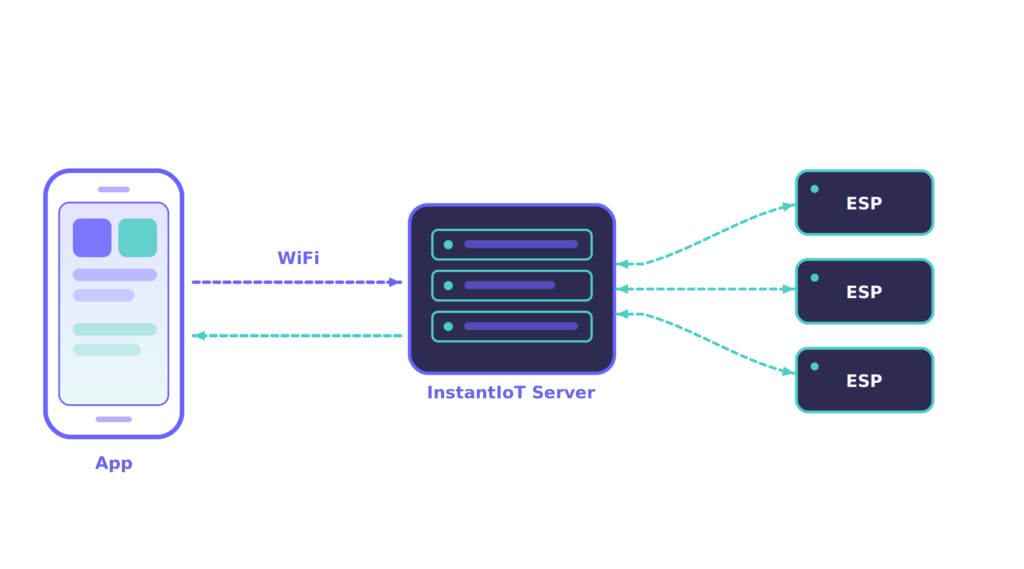
What the server does
Three things, in plain words:
- Holds widget state — your dashboard survives reboots.
- Keeps a rolling history — view trends, not just live values.
- Routes messages between your devices and your phone(s) — many devices, many phones, one source of truth.
A web admin panel ships with the server for monitoring, user management, settings, and backups.
The server runs quietly in the background. The experience lives in the app — open it, connect to your server, and your widgets are right there.
Download InstantIoT Server
Self-hosted, free, and open source. Pick your platform — every download comes straight from GitHub Releases, always the latest version.
The fastest way — one line in your terminal. It detects your architecture, installs, and starts the server automatically.
Apple Silicon or Intel, macOS 11+. Download the disk image, drag to Applications.
Download .dmgFree and open source under AGPLv3. Browse every release and the source code on GitHub.
Each platform has its own install guide with step-by-step setup: Install on Linux, Install on Raspberry Pi, Install on Arduino Uno Q, Install on macOS, Install on Windows.
Your typical journey
- Install the server on a machine of your choice.
- Open the admin panel and log in with the default
admin/admincredentials. - Change the admin password right away.
- From the app, connect to your server.
- Start building your dashboards.
That’s it. The admin panel is there for monitoring and the occasional setting — once your server is up, you won’t need to come back here often.
Free and open source under AGPLv3 — see the code.