InstantIoT turns your phone into the dashboard of your Arduino-compatible devices. You build the screen — buttons, sliders, gauges, charts — and your ESP32, ESP8266 or Arduino sends its readings and obeys your taps, from the next room or from the other side of the world.
What InstantIoT is made of
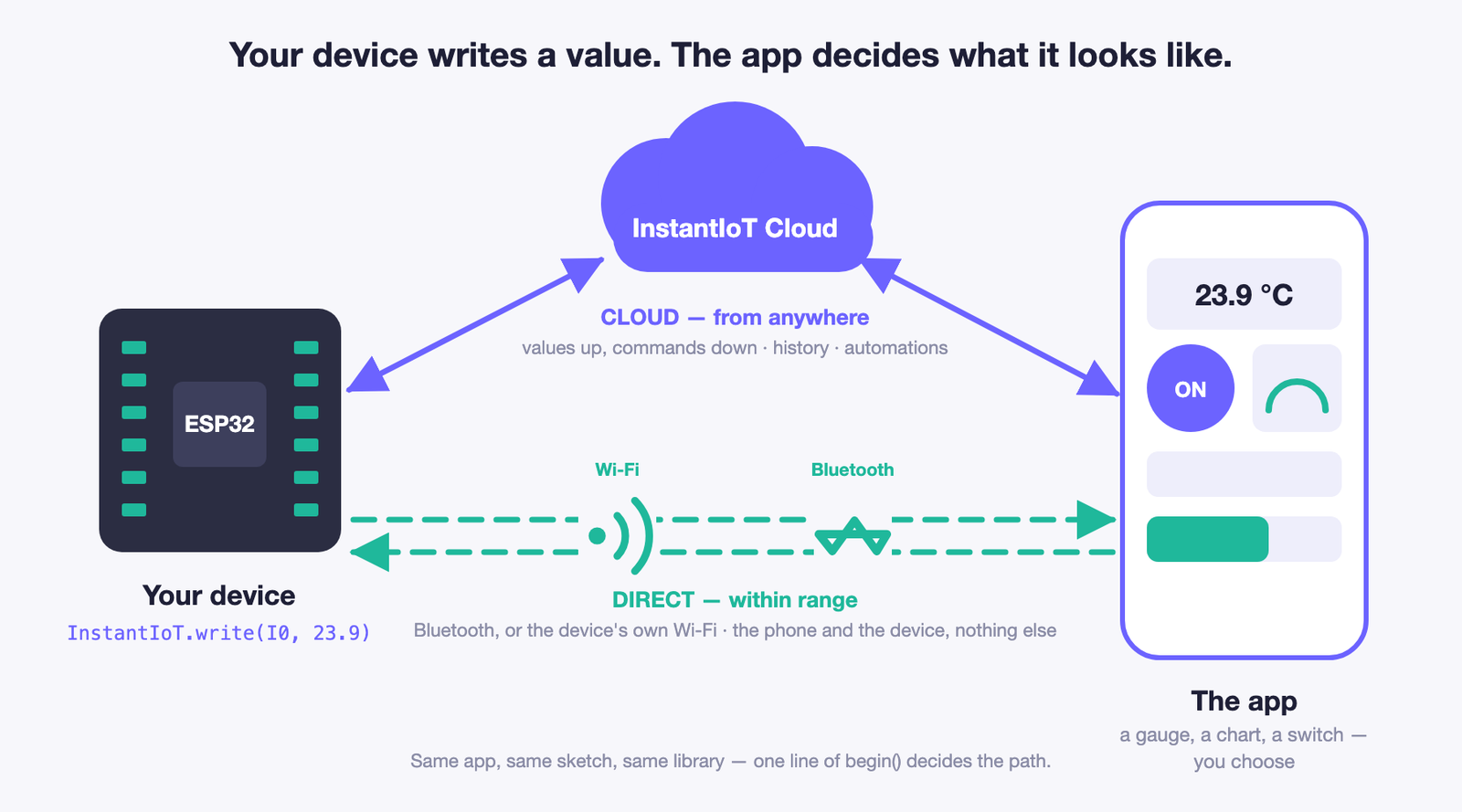
Three pieces. You touch two of them; the third works for you.
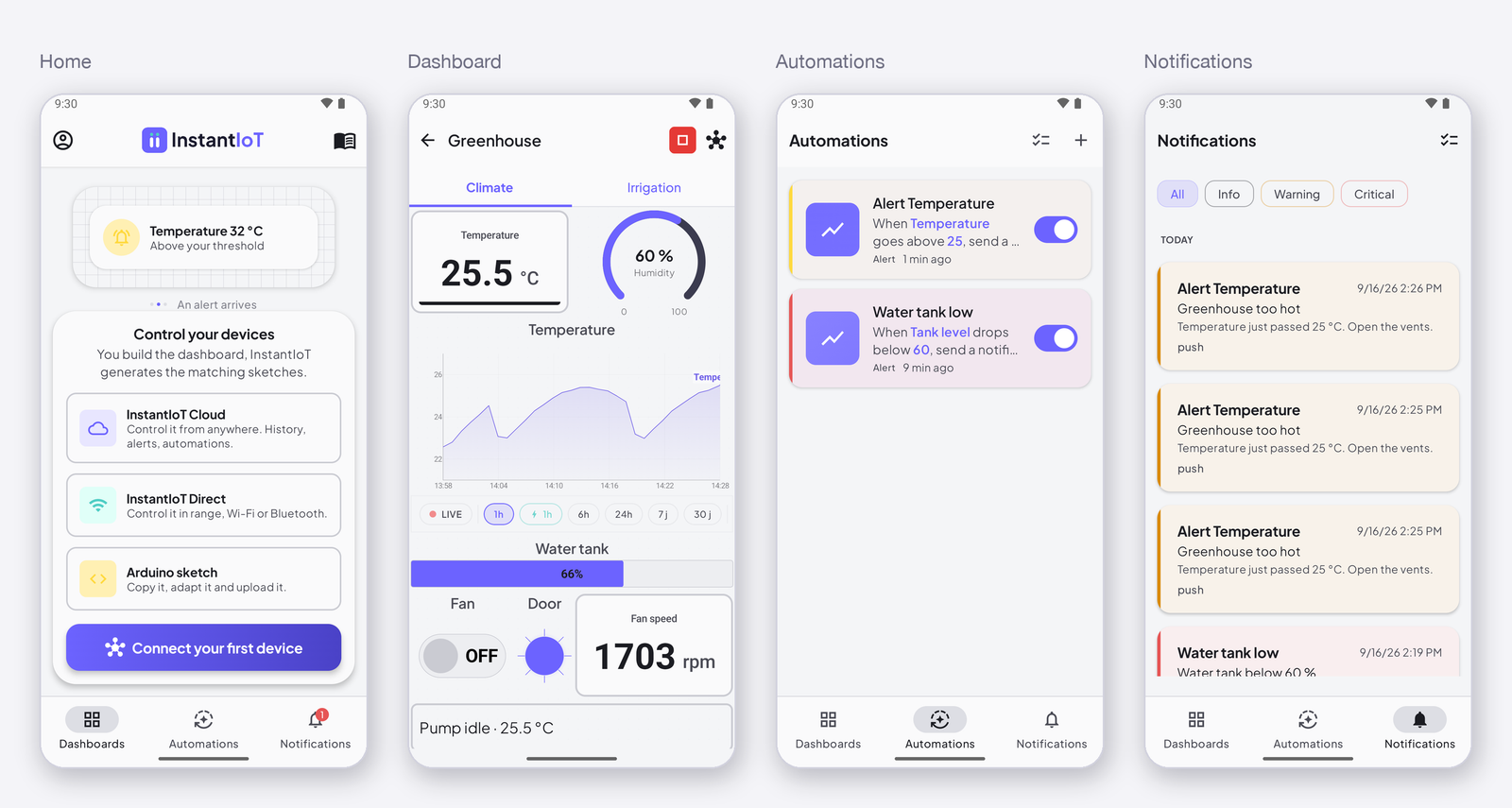
The InstantIoT app
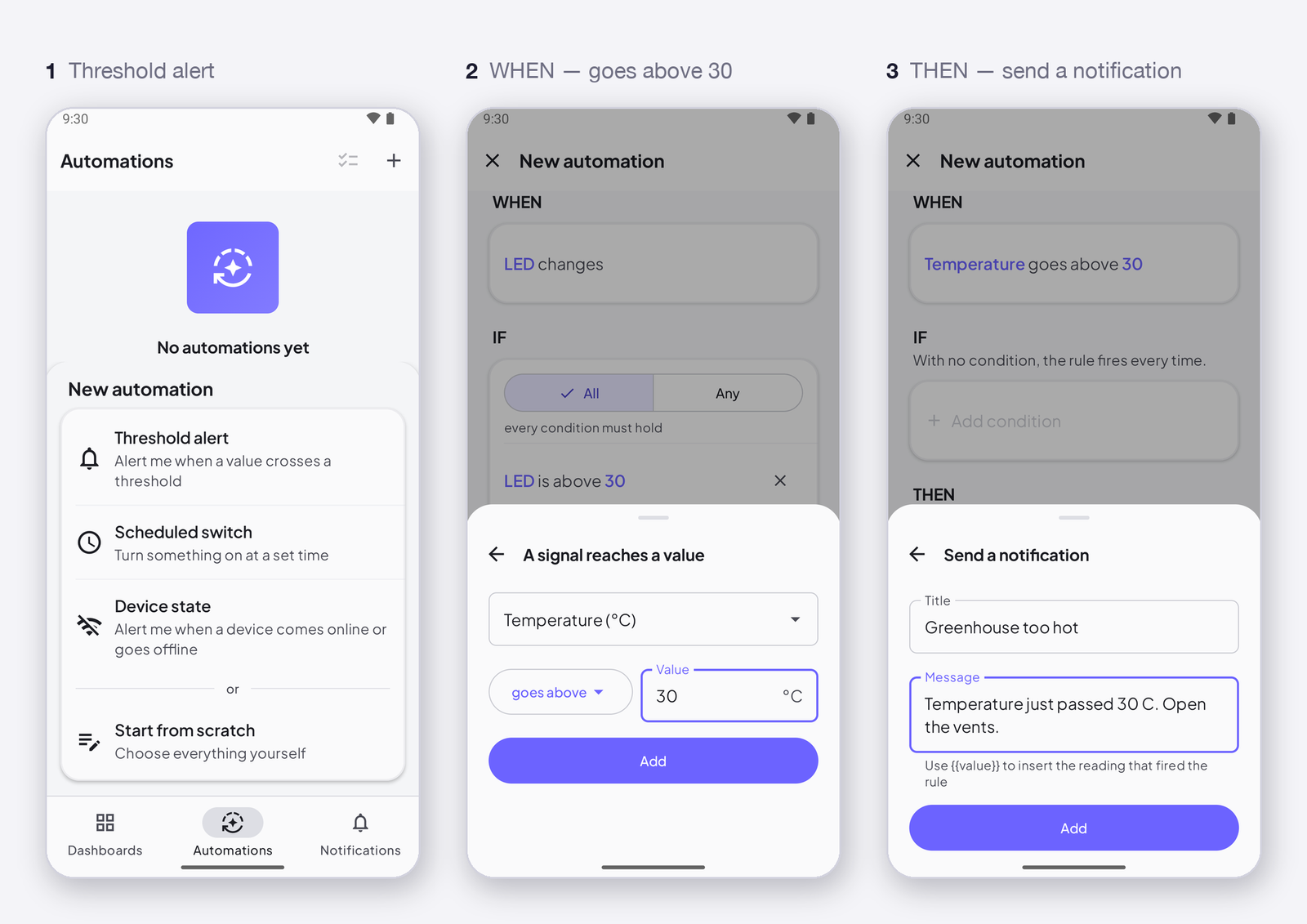
iOS and Android. It is where you build the dashboard, and where you use it. Four screens tell the story: Home — your projects, and the first button you will tap; Dashboard — the widgets you placed, wired to your device’s signals, as a remote control and a display; Automations — the rules you write in plain words, when the temperature goes above 25, send me a notification; Notifications — what those rules did, and when. The app also writes the Arduino sketch for you (Copy template). Light or dark, your choice. → Download the app
The InstantIoT library
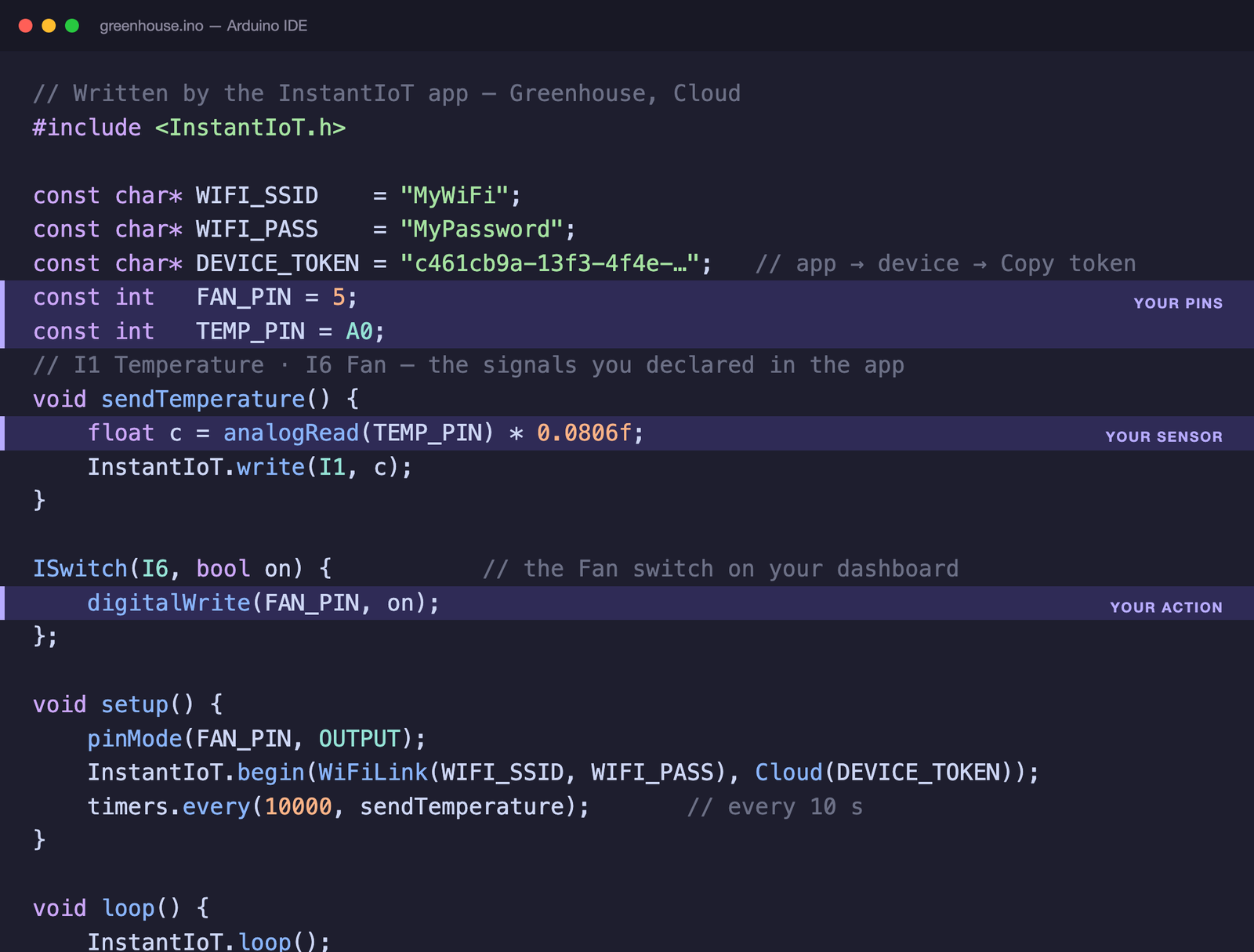
One C++ library for the Arduino IDE, for ESP32, ESP8266, UNO R4 WiFi and other Arduino-compatible devices. Two verbs: InstantIoT.write(I0, value) to send, ISignal(I0, …) to receive. One begin() line decides how the device connects: Wi-Fi, Ethernet, its own Wi-Fi network, or Bluetooth. A complete Cloud sketch fits on one screen — the app writes it, the highlighted lines are yours: → Install the library
InstantIoT Cloud
The server in the middle, when the phone and the device are not in the same room. You never see it, and you never install anything: the device connects to it with its token, the app connects to it with your account, and the Cloud does the rest.
- It relays every value the device writes to the app, and every tap on the app to the device, wherever the two are.
- It remembers: the last value of every signal, so the dashboard is filled the moment you open it, and the history of the signals you asked for, by the minute, the hour, the day — that is what the charts draw.
- It watches your signals for your automations, day and night, even when the app is closed, and sends the notifications and the e-mails they ask for.
- It holds a command for a device that is offline and hands it over when the device comes back.
A free account is enough to start; the plans set how many devices, how much history and how many automations you get. → Your account, your plan and your usage
How it works
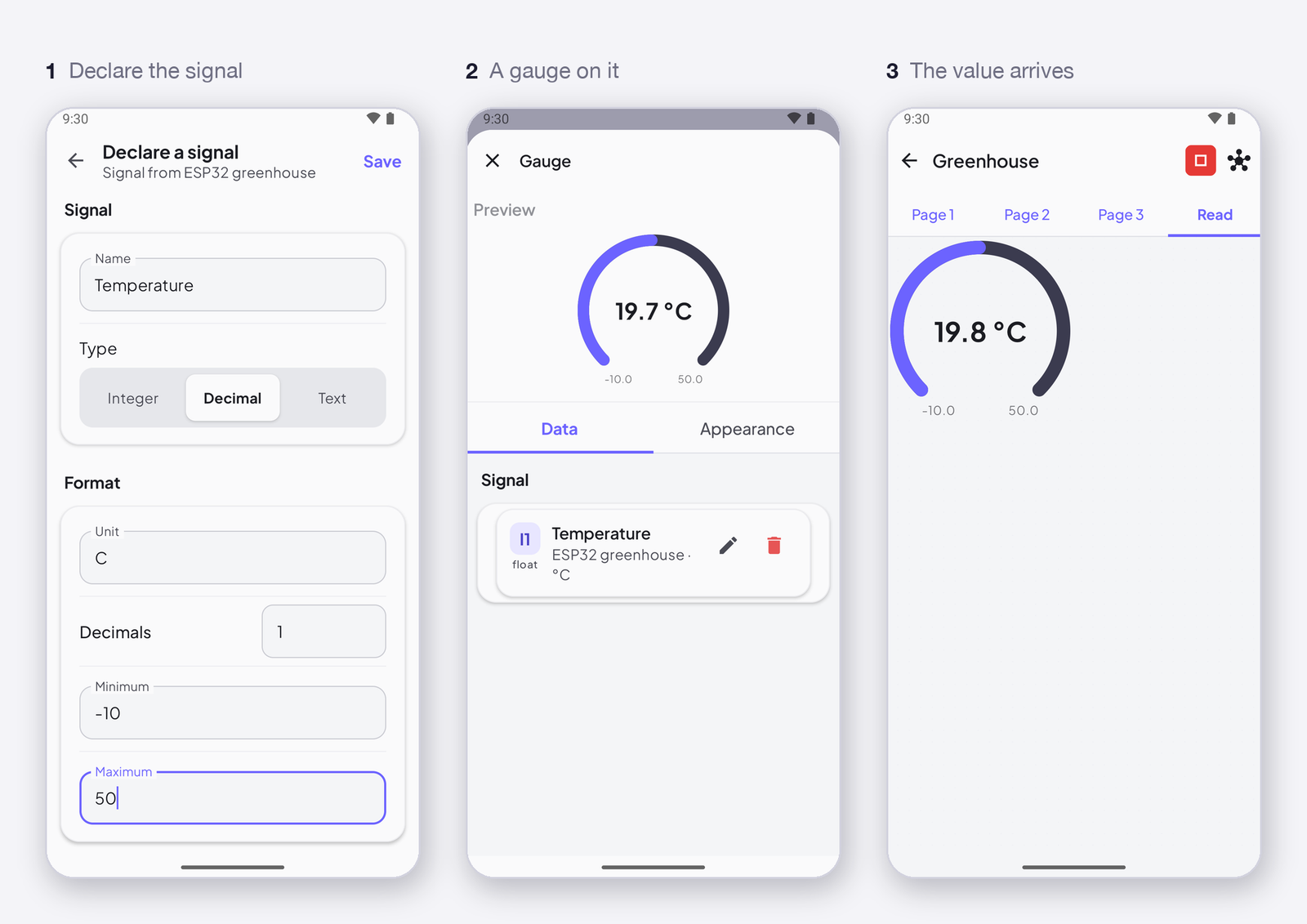
Your device writes a value to an address — I0, I1, like A0 on an Arduino. In the app, that address is a signal: it has a name, a unit, and a history if you want one. You put a widget on the signal — a gauge, a chart, a switch — and the value shows up there, or your tap goes back to the device. The device never knows what widget is on the other end; it only knows the address. Change the gauge for a chart, and the sketch does not change.
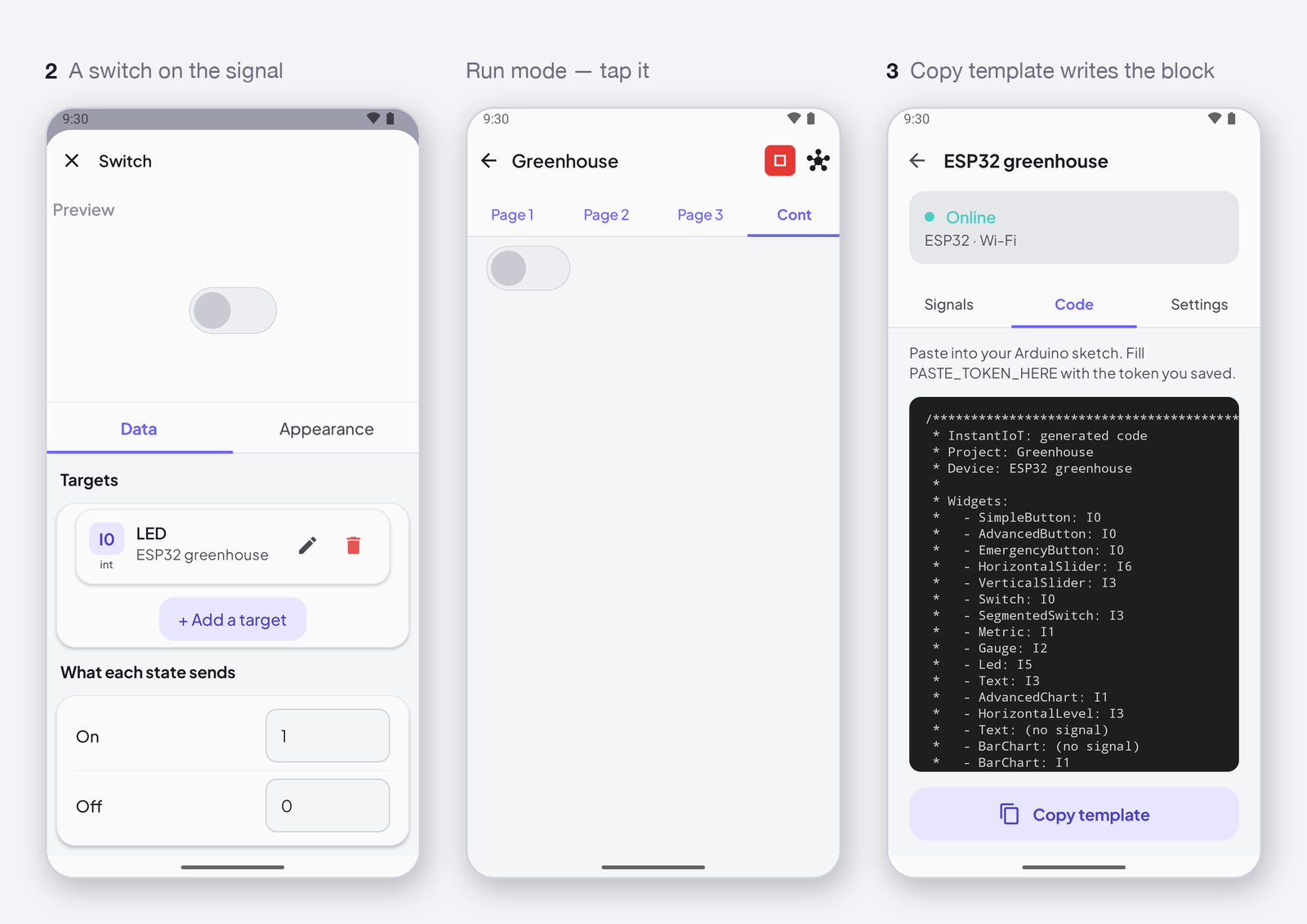
The app writes that sketch for you. Once your dashboard is built, Copy template gives you an Arduino sketch that already contains every widget of your project, with its address; you paste it into the Arduino IDE, add the lines that read your sensor or drive your relay, and upload.
Two ways to connect
- Cloud — your device connects to InstantIoT Cloud over Wi-Fi or Ethernet, and the app reaches it from anywhere. This is where the history, the automations and the notifications live. It needs a free account.
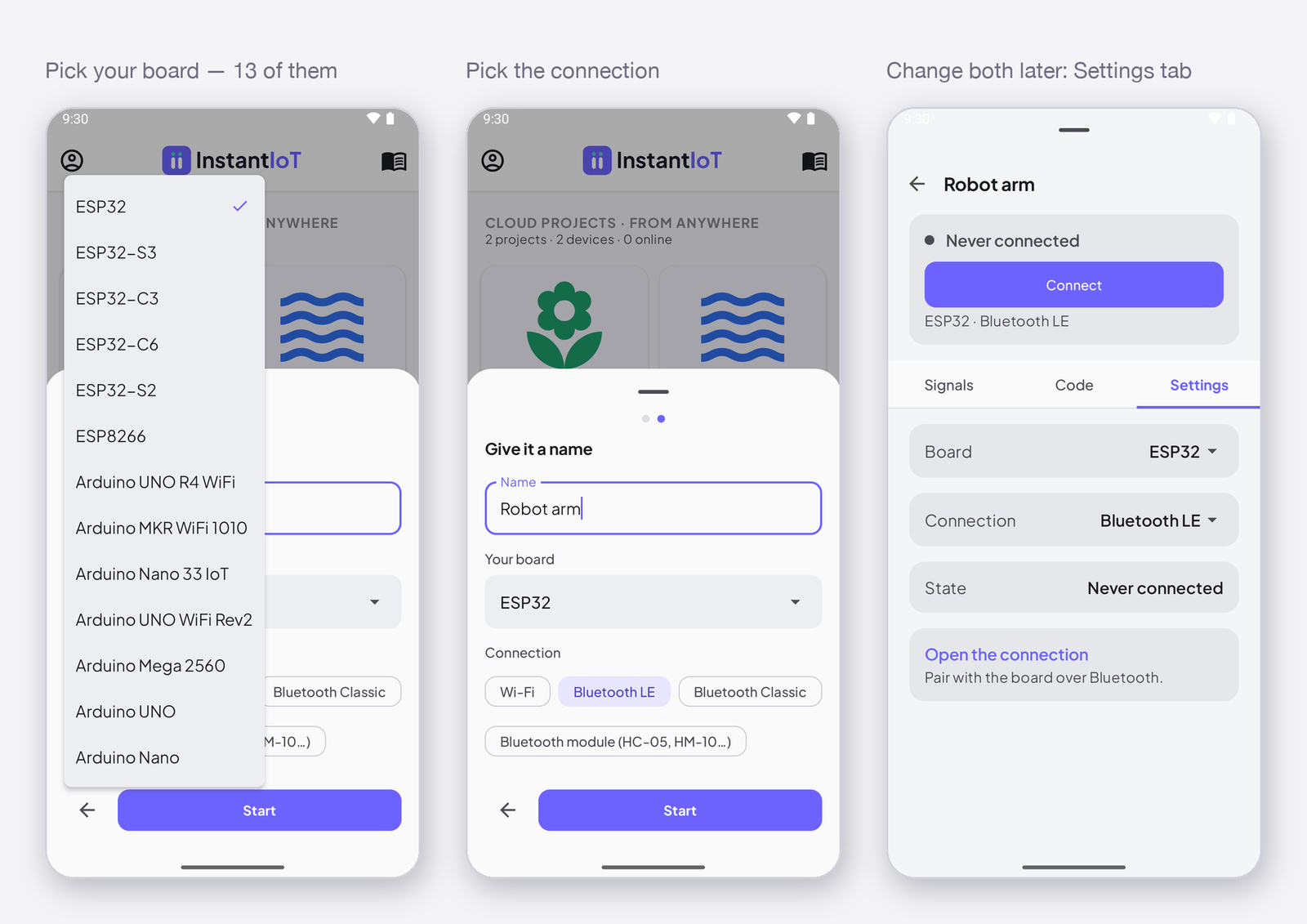
- Direct — your phone talks straight to the device, over Bluetooth or over the device’s own Wi-Fi network. The phone and the device are the whole system, as far as Bluetooth or the device’s Wi-Fi reaches.
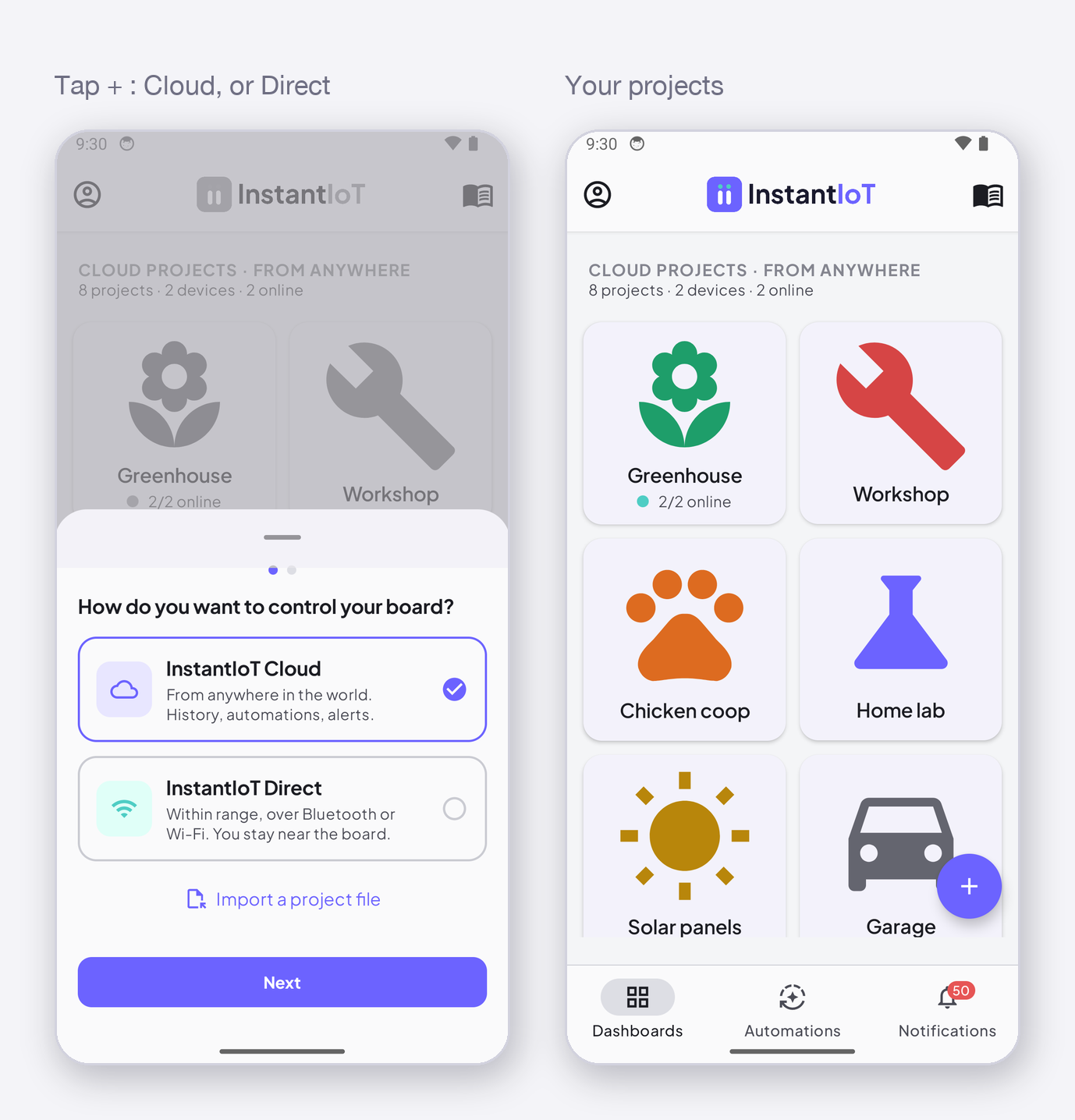
Same app, same widgets, same library, same sketch: only the connection line changes. Cloud or Direct: choose how your device connects.
What you can do with it
- Read a sensor on your phone, live, and see how it changed over the day — Read a sensor value on your phone.
- Control your device: a relay, a motor, a setpoint — Control your device from your phone.
- Get notified when a value crosses a threshold, when a device goes offline, at a set time — Get notified when a value crosses a threshold.
Where to start
A device and the Arduino IDE: Quickstart — a button on your phone lights the LED on your device, over the Cloud or over Bluetooth and Wi-Fi, your choice.
And if you want to run it yourself
There is also InstantIoT Server, the open-source version of the relay: the same app, the same library, on your own machine or a Raspberry Pi, everything in one SQLite file. It is in beta and meant for personal projects, and we keep developing it as makers ask for it. If you have real constraints — many devices, several users, a site to keep running — talk to us. → Run your own InstantIoT Server