The greenhouse hits 30 °C at 2 pm and your phone buzzes at 2 pm — you were not looking at the app, the rule was. This page writes that rule from a template in four taps, and shows where the notification lands.
How it works
A rule is a sentence: when something happens, if something is true, then do this. It runs on the server, not on your phone — the app can be closed, the phone can be off. When it fires, every phone signed in to your account gets the push, and the Notifications screen keeps a line of it.
Before you start. The signal has to reach the server: a Cloud project, the device online, a value arriving. In Direct there is no server, so there are no rules.
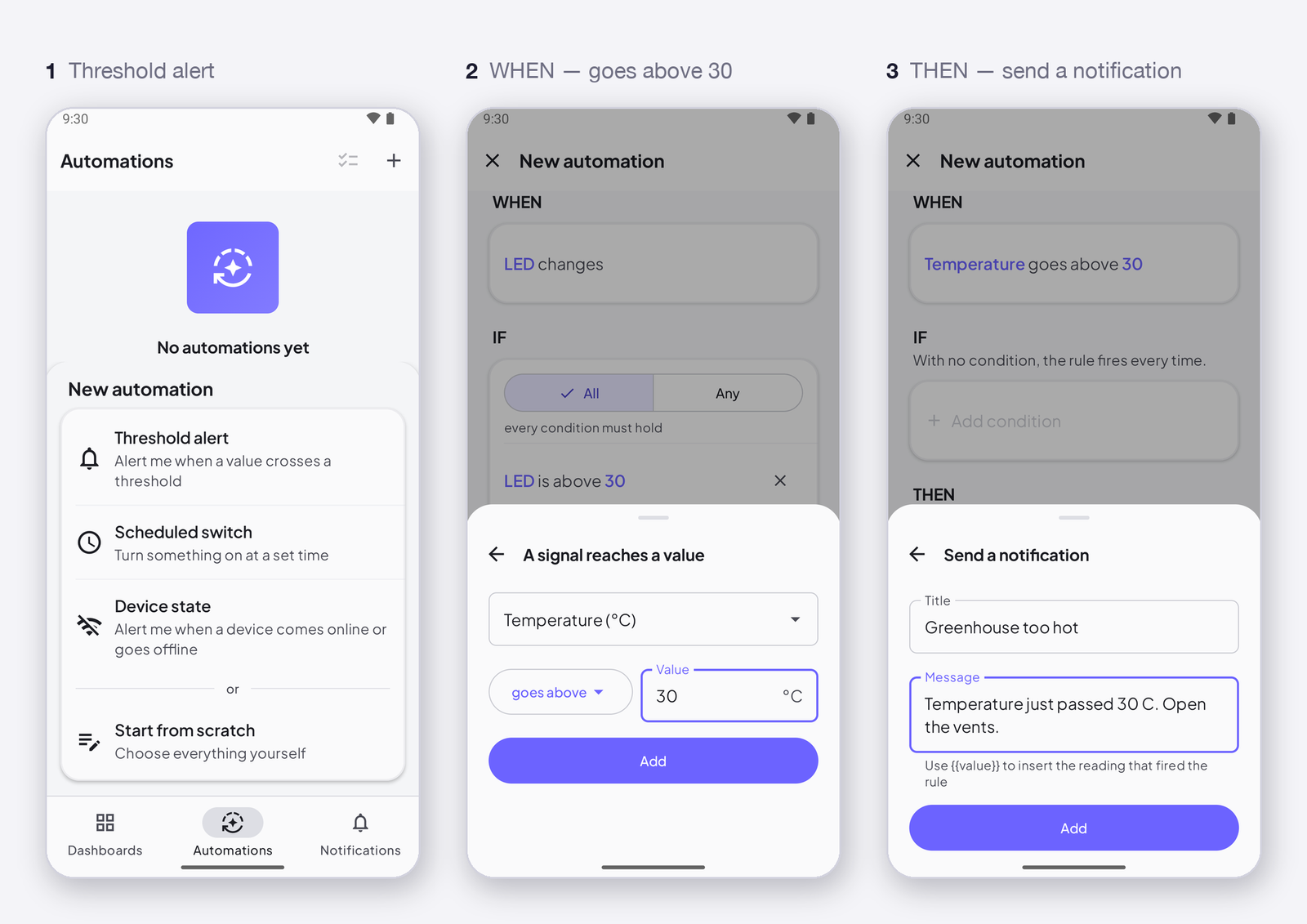
1. Automations → + → Threshold alert
The template pre-fills the sentence; you only choose the signal and the number.
2. WHEN — Temperature goes above 30
Tap the WHEN block: pick Temperature, keep goes above, type 30, Add. It fires when the value gets there, not on every reading while it stays above — one push, not two hundred.
3. THEN — send a notification
Tap Send a notification: a title (Greenhouse too hot) and a message. Write {{value}} in the message to include the reading. Add.
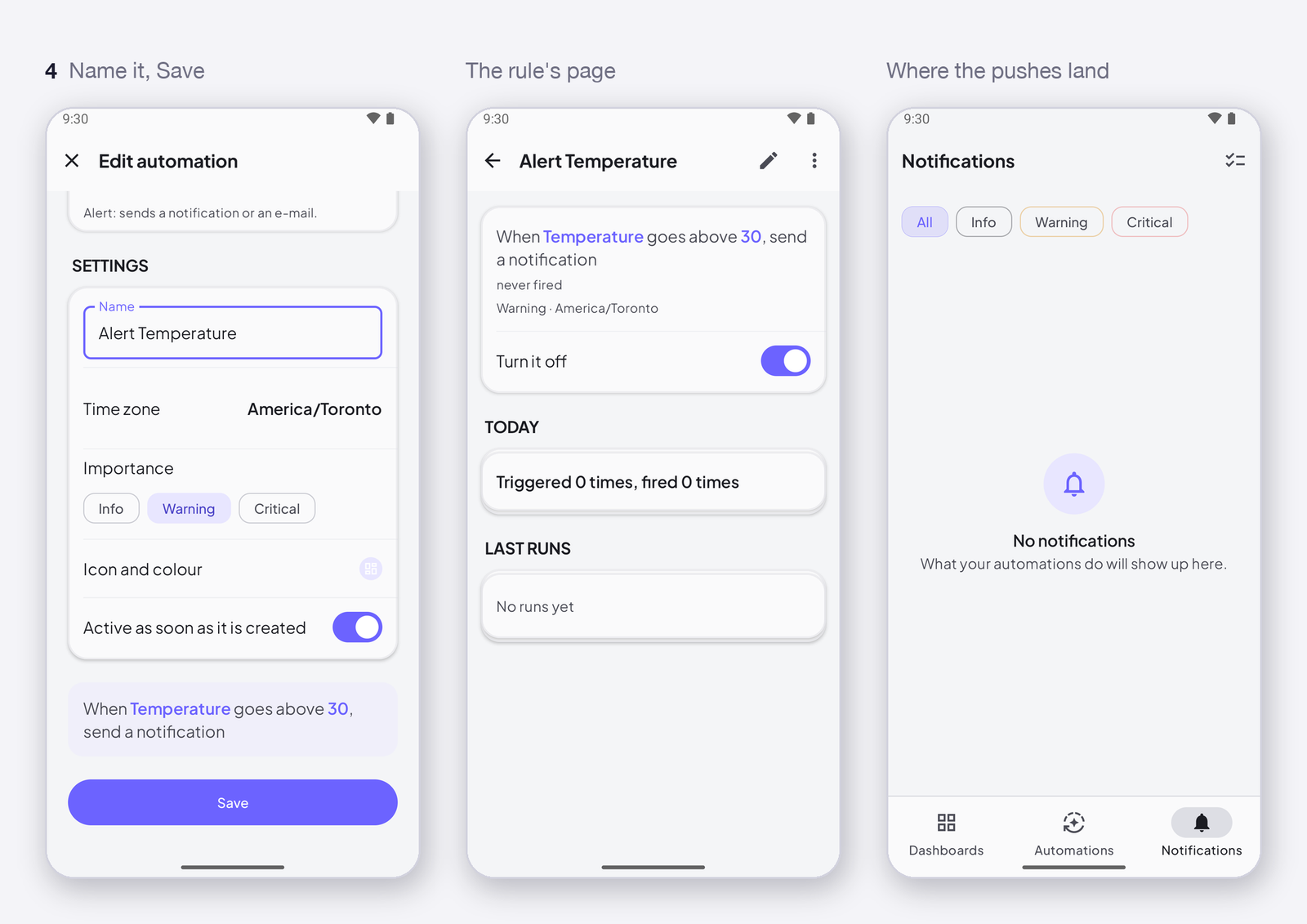
4. Name it, save
In Settings, give the rule a name. The bottom of the editor reads it back — When Temperature goes above 30, send a notification — then Save. The rule appears in the list with its switch; open it to see when it last fired.
A device that comes back is not an alert. A device offline for an hour sends its last value again when it reconnects. If that value was 31, the rule fires for something that happened an hour ago. Add a condition — IF the device is online — and the rule only fires on live readings.
What else a rule can do
Only at night (if the time is between 22:00 and 06:00), only if the fan is off, send an e-mail instead, set a signal on another device, wait ten minutes and check again — How an automation works: when, if, then. Free gives you 2 rules and 50 pushes a day; Maker 25 rules, 500 pushes, 30 e-mails a month — What your plan allows for automations.
Where next
- Trigger: when a signal reaches a value — every operator, and coming from.
- Push notifications on your phone — allow them, and what arrives when the app is closed.