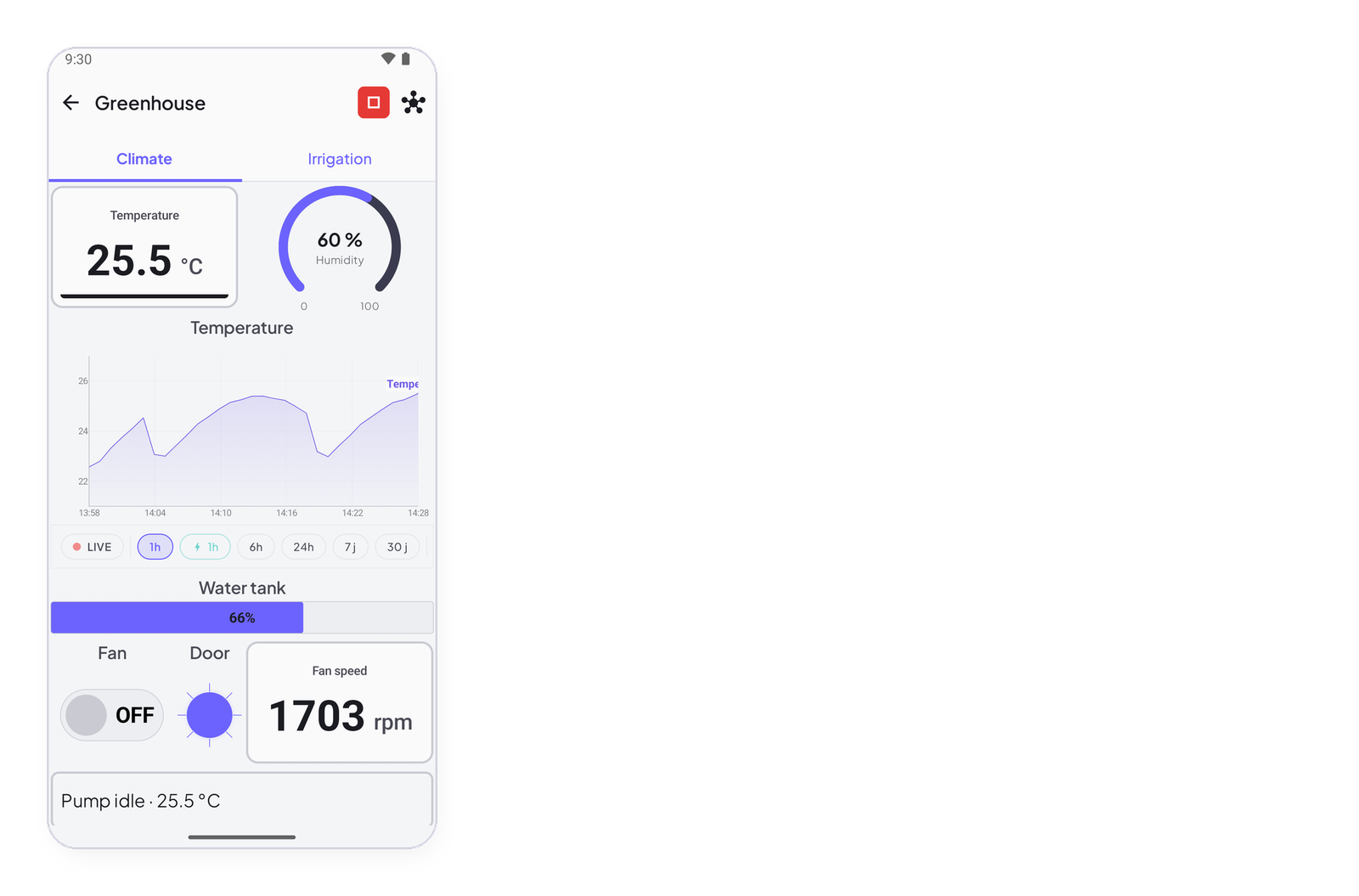
The InstantIoT library is what makes your board talk to the app — the whole ESP32 family, the ESP8266, the Arduino UNO R4 WiFi, MKR WiFi 1010, Nano 33 IoT and UNO WiFi Rev2, and, behind a Bluetooth module or an Ethernet shield, the Mega, the UNO and the Nano: one header, one object, one begin(). This page installs it from the Arduino IDE’s Library Manager, installs the core of your board next to it, checks that a first sketch compiles, and says what each board can do with it.
Arduino IDE
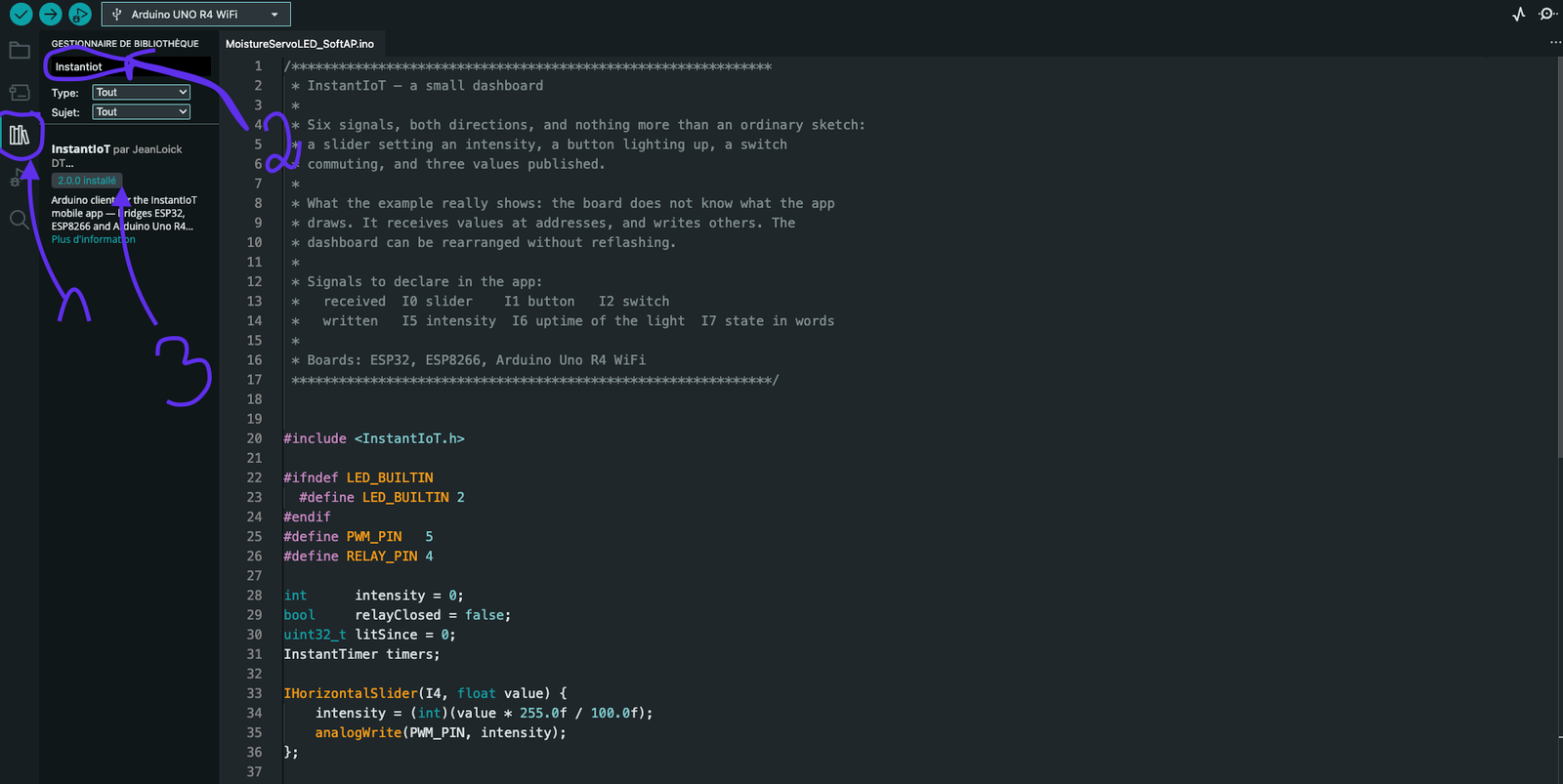
Three things on the screen, in order:
- The Library Manager — the books icon in the left bar, or Sketch → Include Library → Manage Libraries.
- The search field — type InstantIoT; leave Type and Topic on All.
- The version — the card reads InstantIoT by JeanLoick DT; pick the version in its drop-down and Install. The IDE puts the library where it belongs and finds it on the next compile; once installed, the card shows the version in green.
The version has to match the app’s. The app and the library speak the same protocol only within a major version: a 2.x library goes with a 2.x app, a 1.x library with a 1.x app. The app’s version is on its store page, or in your phone’s settings under the app; the library’s is on that card; the sketch the app writes for you is for its own version. Upgrading one means upgrading the other — and the changes between the two are in What changed in 2.0.
The library is the client; your board’s core is what compiles for it. Once per board family, Tools → Board → Boards Manager:
| Board | Search in the Boards Manager | Then in Tools → Board |
|---|---|---|
| ESP32, -S2, -S3, -C3, -C6 | esp32 by Espressif Systems | ESP32 Dev Module (the generic one shows the Partition Scheme menu), ESP32S3 Dev Module, ESP32C3 Dev Module… |
| ESP8266 | esp8266 by ESP8266 Community — after adding https://arduino.esp8266.com/stable/package_esp8266com_index.json in File → Preferences → Additional boards manager URLs |
NodeMCU 1.0, LOLIN(WEMOS) D1 mini… |
| Arduino UNO R4 WiFi | Arduino UNO R4 Boards | Arduino UNO R4 WiFi |
| MKR WiFi 1010, Nano 33 IoT | Arduino SAMD Boards | Arduino MKR WiFi 1010, Arduino NANO 33 IoT |
| UNO WiFi Rev2 | Arduino megaAVR Boards | Arduino Uno WiFi Rev2 |
| Mega 2560, UNO, Nano | Arduino AVR Boards — installed with the IDE | Arduino Mega or Mega 2560, Arduino Uno, Arduino Nano |
The Wi-Fi boards need nothing else: their Wi-Fi and TLS come with the core. Two links ask for one more thing, in the sketch as much as in the IDE:
// Bluetooth LE on an ESP32: install "NimBLE-Arduino" (h2zero) from the Library Manager,
// and include it BEFORE InstantIoT.h — without this line, BLELink does not exist
#include <NimBLEDevice.h>
#include <InstantIoT.h>

// An Ethernet shield (W5100 / W5500): the Ethernet library comes with the IDE,
// but the sketch has to ask for it by name, BEFORE the include
#define INSTANTIOT_ETHERNET 1
#include <InstantIoT.h>
Manual
Download a release from github.com/jeanloickdt/InstantIoT — the Source code (zip) — or the repository itself, and either Sketch → Include Library → Add .ZIP Library, or extract it into your Arduino libraries/ folder so that the tree reads:
Documents/Arduino/libraries/InstantIoT/      ← ~/Arduino/libraries/ on Linux
├── library.properties
├── src/
│   ├── InstantIoT.h                         ← the one header a sketch includes
│   ├── Links.hpp · Destinations.hpp
│   └── core/ · transport/ · utils/
└── examples/
    ├── connection/ · controls/ · measurements/ · complete/
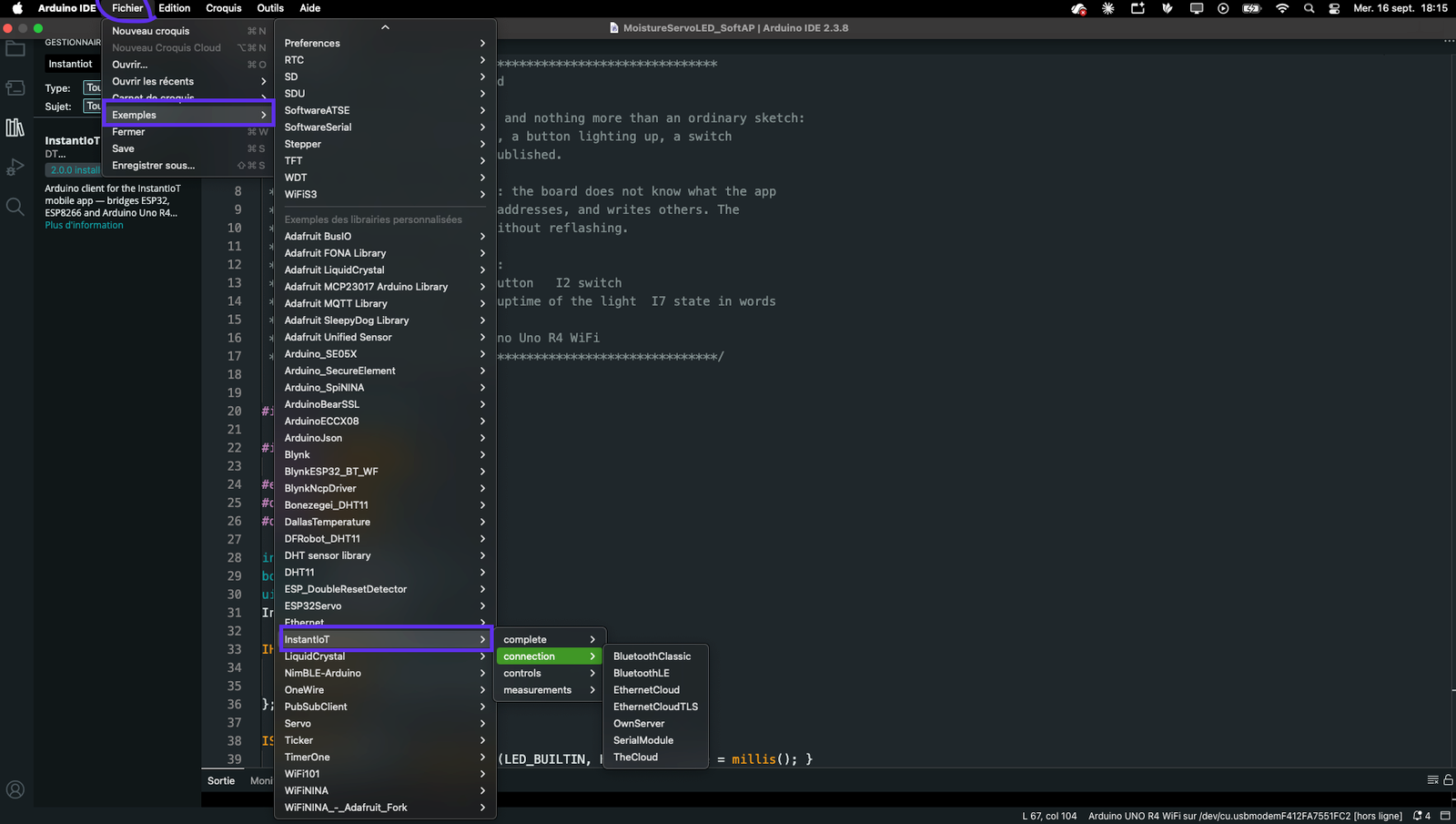
Restart the IDE: File → Examples → InstantIoT appears in the menu.
Check that it compiles
Before the app, before the token: one compile. File → Examples → InstantIoT → connection → TheCloud, pick your board in Tools → Board, then Verify (✓). The three lines to fill are at the top of the sketch, and it compiles with the placeholders:
const char* WIFI_SSID    = "MyWiFi";
const char* WIFI_PASS    = "MyPassword";
const char* DEVICE_TOKEN = "PASTE_TOKEN_HERE";
What the compiler can tell you at this point, and what to do:
| Message | Meaning |
|---|---|
InstantIoT.h: No such file or directory |
the library is not in libraries/, or the IDE was not restarted after a manual install |
'BLELink' was not declared |
#include <NimBLEDevice.h> is missing, or comes after <InstantIoT.h>; NimBLE-Arduino not installed |
text section exceeds available space in board |
ESP32 with Bluetooth: Tools → Partition Scheme → Huge APP |
SoftwareSerial does not exist on this board |
SerialLink(rx, tx) on a board without it — write SerialLink(Serial1) |
InstantIoT cannot join an existing WiFi from this board and the like |
a pairing this board cannot do; the message says what to write instead |
error: 'IO' was not declared |
capital O instead of zero in I0 |
A sketch that will not connect once uploaded: #define INSTANTIOT_DEBUG 1 before the include, and the Serial monitor at 115200 says which step it is stuck on — Wi-Fi, TLS or handshake (Connect your device).
Your first sketch
Once it compiles, this is the whole thing — a button and a measure, both directions, twenty lines:
#include <InstantIoT.h>

const char* TOKEN = "paste-the-token-the-app-gave-you";   // Cloud: from the device sheet, Copy token
InstantTimer timers;

ISimpleButton(I0) {                                        // a button in the app, on I0
    WHEN_PRESSED  { digitalWrite(LED_BUILTIN, HIGH); }
    WHEN_RELEASED { digitalWrite(LED_BUILTIN, LOW);  }
};

void publish() {
    InstantIoT.write(I1, analogRead(A0) * 3.3 / 4095.0);   // a voltage on I1 — a gauge, a chart, your call
}

void setup() {
    pinMode(LED_BUILTIN, OUTPUT);
    InstantIoT.begin(WiFiLink("MyWiFi", "secret"), Cloud(TOKEN));
    timers.every(1000, publish);
}

void loop() {
    InstantIoT.loop();
    timers.run();
}
One header. One object. One begin. That sketch reacts to a button and sends a voltage once a second — and it is what the app writes for you on the device’s Code tab, with your own widgets in it.
Devices
| Wi-Fi | Cloud over TLS | Bluetooth | Bluetooth module | Ethernet | |
|---|---|---|---|---|---|
| ESP32 (all variants) | ✅ | ✅ | ✅ BLE on the whole family but the S2; Classic on the original ESP32 | ✅ Serial1 |
✅ |
| ESP8266 | ✅ | ✅ | — | ✅ two pins | ✅ |
| Arduino Uno R4 WiFi | ✅ | ✅ | — | ✅ Serial1 |
✅ |
| MKR WiFi 1010, Nano 33 IoT, Uno WiFi Rev.2 | ✅ | ✅ | — | ✅ Serial1 |
✅ |
| Arduino Mega | — | — | — | ✅ Serial1 |
✅ plaintext |
| Arduino Uno, Nano | — | — | — | ✅ two pins | ✅ plaintext |
A combination your device cannot do fails to compile, and the error message says what to write instead. Board by board, with the app’s list: Supported boards.
Next
Connect the device — every begin() line — and the example sketches, one per link, one per control, one per sensor.