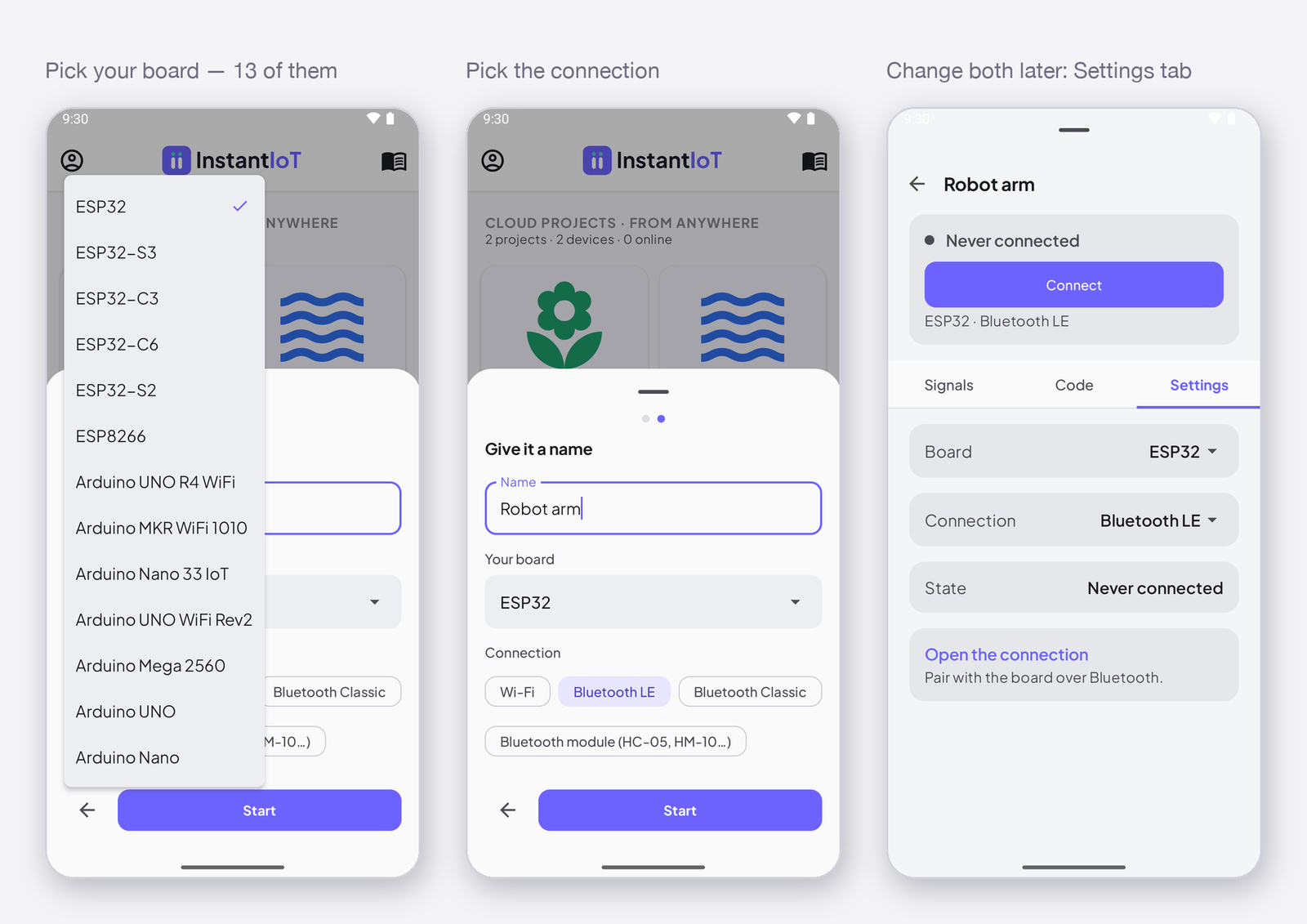
The app offers thirteen boards when you create a Direct project, and the library compiles for every one of them. This page says, board by board, how your phone can reach it — over the Wi-Fi network the board opens, over Bluetooth LE or Classic, or through a Bluetooth module on two wires — and whether it can reach the Cloud. Pick the board and the connection when you create the project; both change later on the device sheet.
The boards, and how the phone reaches them
| Board | Cloud | Direct · Wi-Fi | Direct · Bluetooth LE | Direct · Bluetooth Classic | Direct · Bluetooth module |
|---|---|---|---|---|---|
| ESP32 | ✅ Wi-Fi | ✅ | ✅ | ✅ | ✅ Serial1 |
| ESP32-S3 | ✅ Wi-Fi | ✅ | ✅ | — | ✅ Serial1 |
| ESP32-C3 | ✅ Wi-Fi | ✅ | ✅ | — | ✅ Serial1 |
| ESP32-C6 | ✅ Wi-Fi | ✅ | ✅ | — | ✅ Serial1 |
| ESP32-S2 | ✅ Wi-Fi | ✅ | — | — | ✅ Serial1 |
| ESP8266 | ✅ Wi-Fi | ✅ | — | — | ✅ two pins, 13 / 15 |
| Arduino UNO R4 WiFi | ✅ Wi-Fi | ✅ | — | — | ✅ Serial1 |
| Arduino MKR WiFi 1010 | ✅ Wi-Fi | ✅ | — | — | ✅ Serial1 |
| Arduino Nano 33 IoT | ✅ Wi-Fi | ✅ | — | — | ✅ Serial1 |
| Arduino UNO WiFi Rev2 | ✅ Wi-Fi | ✅ | — | — | ✅ Serial1 |
| Arduino Mega 2560 | ✅ Ethernet shield | — | — | — | ✅ Serial1 |
| Arduino UNO | ✅ Ethernet shield | — | — | — | ✅ two pins, 10 / 11 |
| Arduino Nano | ✅ Ethernet shield | — | — | — | ✅ two pins, 10 / 11 |
Cloud — the board joins your Wi-Fi, or a W5100 / W5500 Ethernet shield plugs it into your router, and it reaches InstantIoT Cloud from there: WiFiLink(ssid, password), Cloud(TOKEN) or EthernetLink(), Cloud(TOKEN). Every Wi-Fi board above takes the Ethernet shield too. On a Mega, an UNO or a Nano the cable carries no TLS, so it is Cloud(TOKEN).plaintext() — the page below says what that means. → Connect your device
Direct · Wi-Fi — the board opens its own Wi-Fi network and the phone joins it: AccessPoint(name, password). No account, no Internet, no router. → Connect your device
Direct · Bluetooth LE — the board advertises, the app scans and connects, nothing to pair. Android and iOS. BLELink(name), with the NimBLE-Arduino library. → Connect your device
Direct · Bluetooth Classic — the original ESP32 only, and Android only: iOS does not open Bluetooth Classic to apps. Pair in the phone’s settings, then connect. BluetoothLink(name). → Connect your device
Direct · Bluetooth module — an HC-05 / HC-06 (Classic) or HM-10 (LE) on two wires does the Bluetooth; the board only sees a serial line. SerialLink(Serial1) on a spare hardware UART, SerialLink(rx, tx) on two software pins where the only UART is the USB one. This is the road for a board with no radio — and the only one on iOS for an Arduino that is not an ESP32, with an HM-10. → Connect your device
In the app
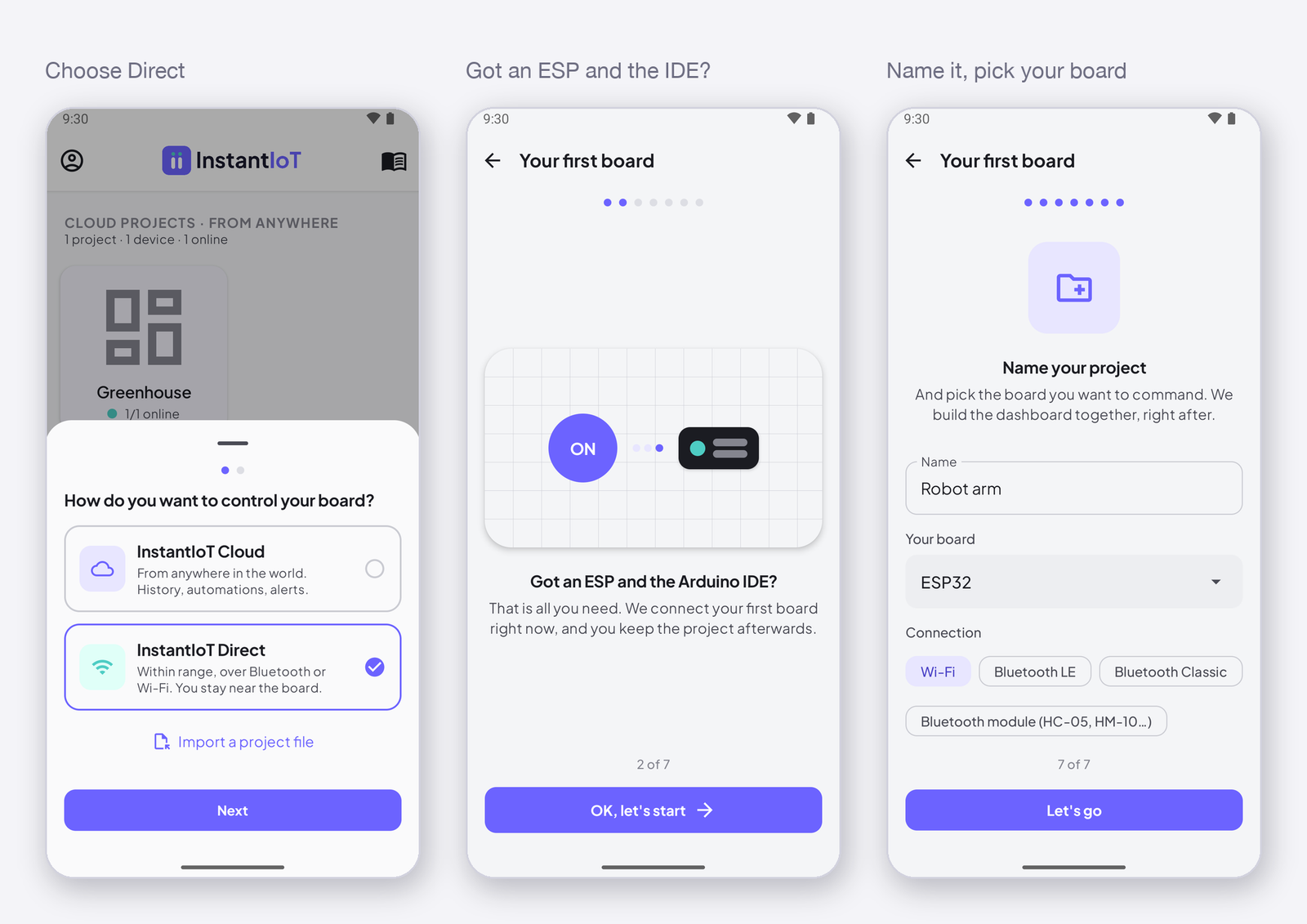
When you create a Direct project the app asks which board you have, then shows the connections that board can do, as chips under it — the first one is selected. Both live on the device sheet afterwards, Settings tab, Board and Connection: change either, and the sketch on the Code tab changes its begin() line and nothing else. The widgets, the signals and the blocks are the same over every connection — a signal does not know how it travelled.
A Cloud project does not ask: you name the board when you register it, and it connects over Wi-Fi or Ethernet.
Not in the list
The Arduino UNO R4 Minima has neither a radio nor SoftwareSerial, so the app cannot reach it in Direct; register it as a Cloud device and it reaches the Cloud through an Ethernet shield, in plaintext, as on the Mega, the UNO and the Nano. Any other board that runs the Arduino core and has one of the links above will very likely compile — the library refuses a pairing it cannot do with one clear sentence, so the build tells you before the bench does.