Device state is the trigger that watches the device itself, not its values: it fires when the device connects to the Cloud, or when it stops answering. This page explains what offline means, why there is a wait before alerting, and how to be told when your greenhouse goes dark.
What it does
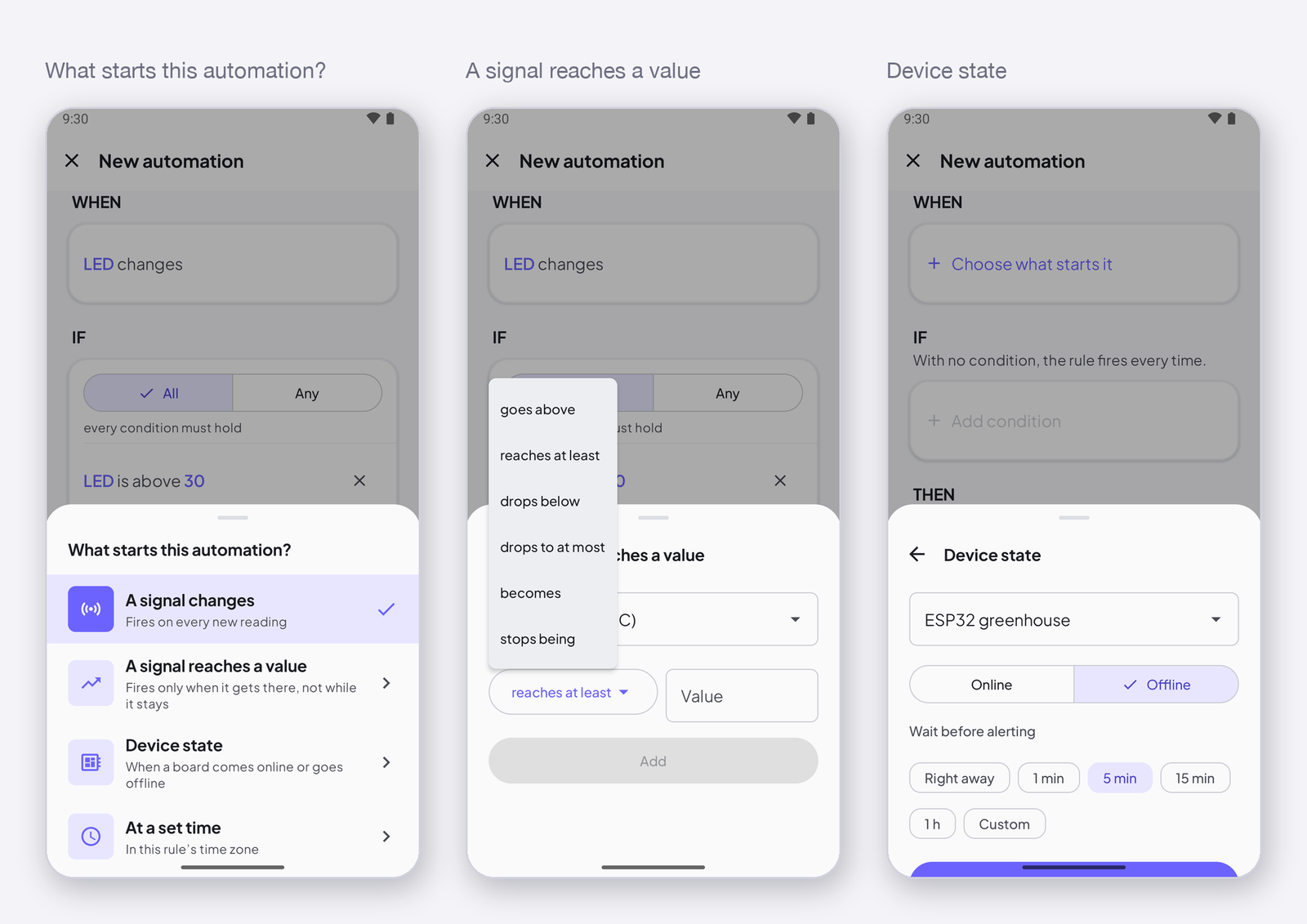
A device is online while its connection to the Cloud is open and it keeps answering. It goes offline when the connection drops — power cut, Wi-Fi gone, a crash — and the Cloud stops hearing from it. The trigger fires on the transition you choose: Online (it just connected, or reconnected) or Offline (it just stopped answering).
Wait before alerting
Wi-Fi blinks. A device that drops for ten seconds and comes back is not an incident, and you do not want a push for it. Wait before alerting — Right away, 1 min, 5 min, 15 min, 1 h, Custom — makes the rule wait: it fires only if the device is still offline after that time. Five minutes is a good default for a greenhouse; one hour for a device on a flaky network.
How to write it
In the editor, tap Choose what starts it under WHEN, then Device state. Pick the device, choose Online or Offline, and the wait. The sentence reads When ESP32 greenhouse goes offline for 5 min. The Device state template writes exactly this, with a notification.
Notes
- A rule that fires on Offline cannot have the condition the device is online — it would never be true. Leave the conditions empty.
- Online fires on every reconnect, including the first one after a power cut. That is a good way to be told the power is back.
Next
→ Actions — what to do when it fires. → Push notifications on your phone.