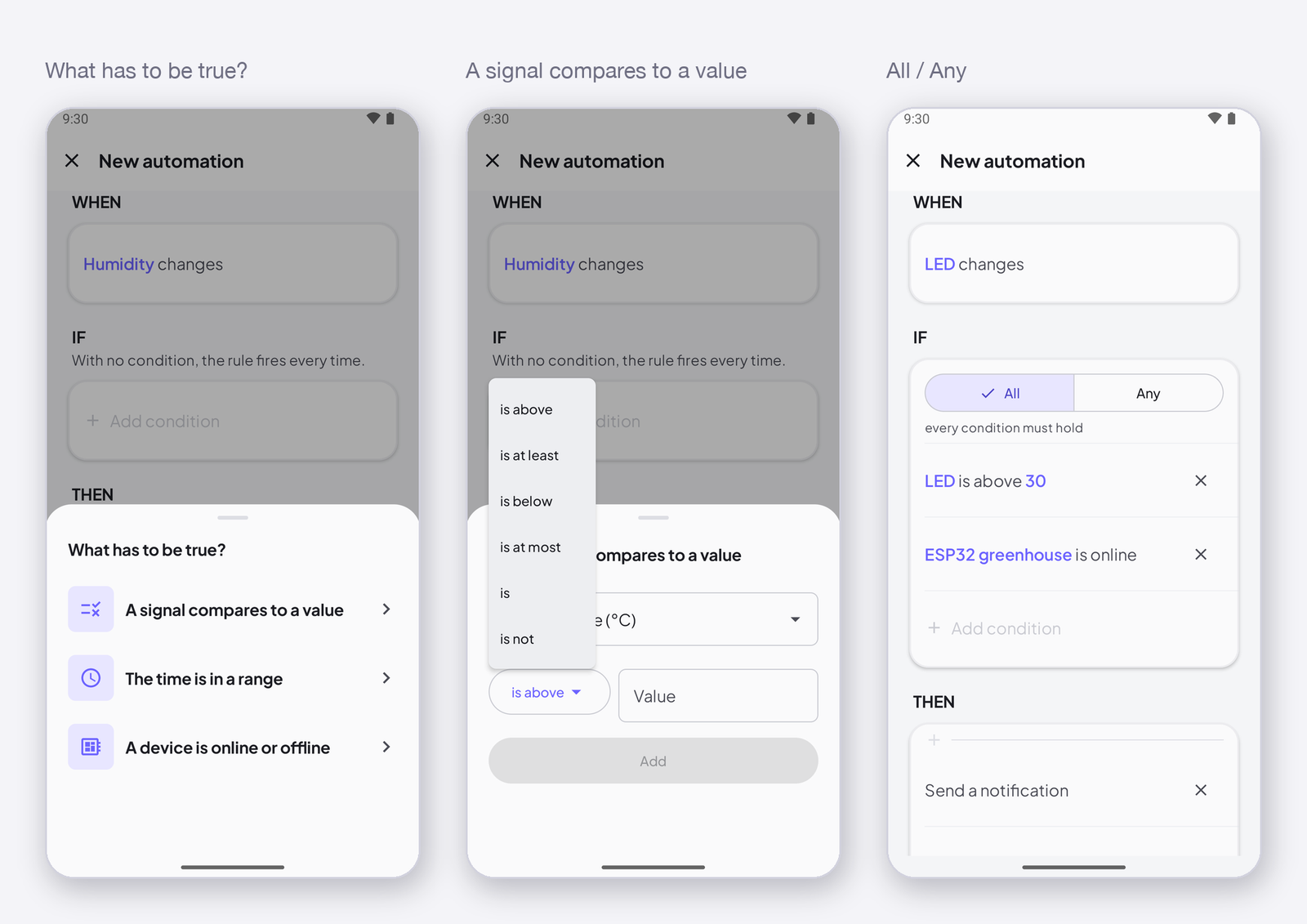
A condition is what has to be true for a rule to go on once its trigger fired. Without one, the rule fires every time; with one or several, it fires only when they hold. This page lists the three kinds of condition, the operators, and how All and Any combine them.
The three conditions
| Condition | Checks | Operators |
|---|---|---|
| A signal compares to a value | the current value of any signal — not only the one that triggered | is above · is at least · is below · is at most · is · is not |
| The time is in a range | the time of day, in the rule’s time zone — between two times | between 22:00 and 06:00 also works across midnight |
| A device is online or offline | whether a device is connected right now | online · offline |
All, or any
With several conditions, choose All — every condition must hold — or Any — one is enough. There is no none: to say not above 30 write is at most 30; to say not online write offline; to say not between 8 and 20 write between 20 and 8.
Typical conditions
- Only live readings — the device is online. Add it to every threshold alert: a device that reconnects sends its last value again, and without this condition the rule fires for an old reading.
- Only at night — the time is between 22:00 and 06:00.
- Only if something else is off — Fan is 0: the rule that turns the heater on does not fight the fan.
How to write it
In the editor, tap Add condition under IF, pick the kind, the signal or device, the operator, the value. Add another with Add condition again; the All / Any switch appears above the list.
Next
→ Actions.
Was this page helpful?
Great! What worked best for you?
Please
provide
additional details about your experience.
✓ Thank you for your feedback! We appreciate your input.