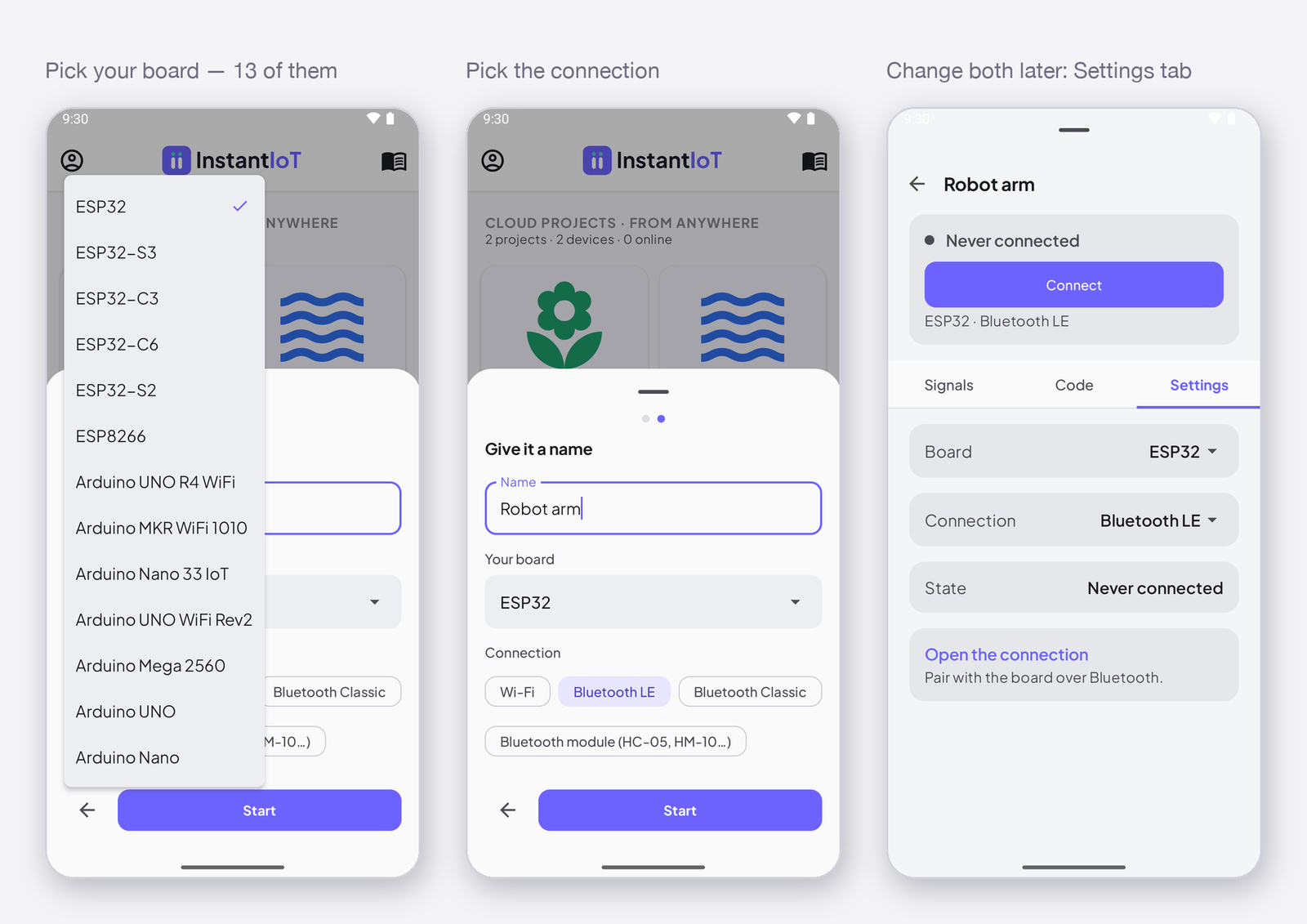
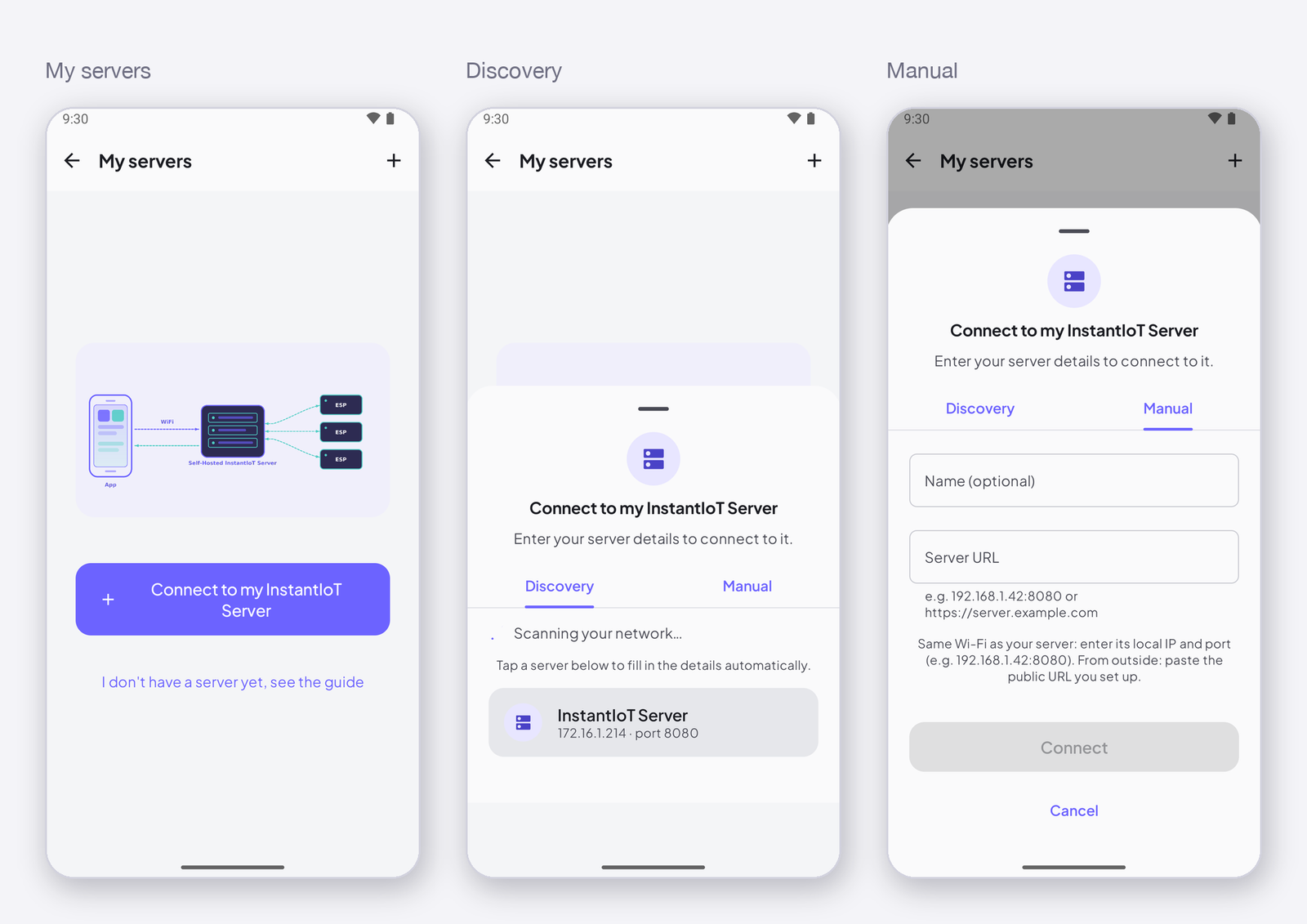
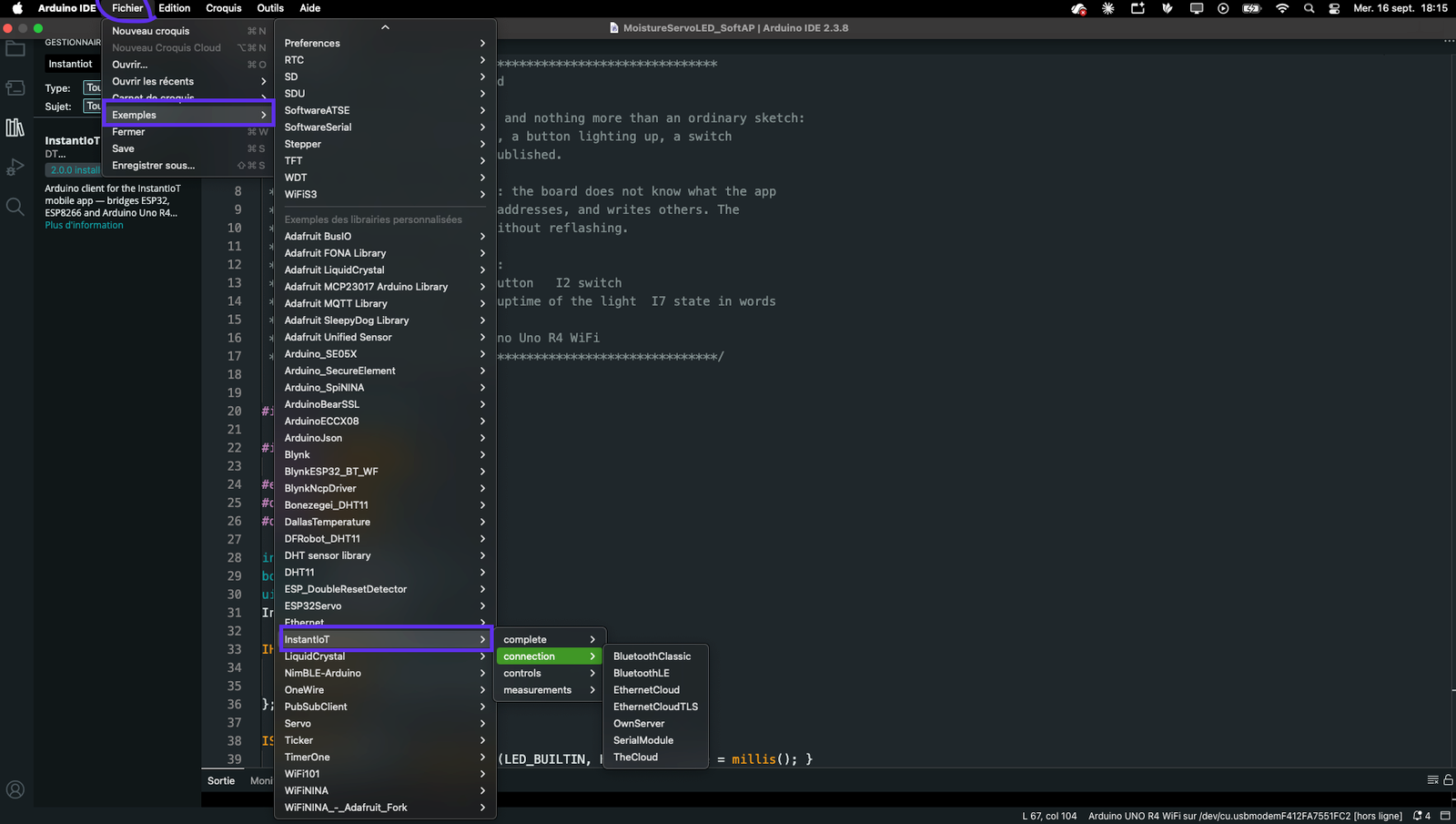
Everything the InstantIoT Arduino library exposes, on one page: the connection classes, write(), every widget block and its WHEN_ clauses, ISignal, the timer, and the settings.
Everything the library exposes, on one page. The details are in Your device.
Connect
InstantIoT.begin(link) |
Direct: AccessPoint(ssid, password), BLELink(name), BluetoothLink(name), SerialLink(Serial1) (hardware UART) or SerialLink(rx, tx) (SoftwareSerial — AVR, ESP8266) — see Connect your device |
InstantIoT.begin(link, destination) |
WiFiLink(ssid, password) or EthernetLink() + Cloud(TOKEN) or MyServer(host, TOKEN) / MyServer(host, port, TOKEN) |
Cloud(TOKEN).withCertificate(root) |
your own authority, still verified |
Cloud(TOKEN).withoutCertCheck() |
encrypted, identity unchecked |
Cloud(TOKEN).plaintext() |
no TLS at all |
MyServer(...).secure() |
TLS to your own server |
InstantIoT.loop() |
every pass of loop() |
#include <InstantIoT.h>
// #include <NimBLEDevice.h> BEFORE this line for BLELink; #define INSTANTIOT_ETHERNET 1 for EthernetLink

const char* TOKEN = "paste-the-token-the-app-gave-you";

void setup() {
    Serial.begin(115200);

    InstantIoT.begin(WiFiLink("MyWiFi", "secret"), Cloud(TOKEN));                       // Cloud, TLS
    // InstantIoT.begin(WiFiLink("MyWiFi", "secret"), Cloud(TOKEN).plaintext());        // Cloud, no TLS — a decision
    // InstantIoT.begin(WiFiLink("MyWiFi", "secret"), MyServer("192.168.1.42", TOKEN)); // your own server, port 9001
    // InstantIoT.begin(WiFiLink("MyWiFi", "secret"), MyServer("192.168.1.42", 9443, TOKEN).secure()); // your server behind TLS
    // InstantIoT.begin(EthernetLink(), Cloud(TOKEN));                                   // a W5100 / W5500 shield
    // InstantIoT.begin(AccessPoint("MyESP32", "12345678"));                             // Direct: the device is the Wi-Fi network
    // InstantIoT.begin(BLELink("MyESP32"));                                             // Direct: Bluetooth LE
    // InstantIoT.begin(BluetoothLink("MyESP32"));                                       // Direct: Bluetooth Classic
    // InstantIoT.begin(SerialLink(Serial1));                                            // Direct: a module on a hardware UART
    // InstantIoT.begin(SerialLink(10, 11));                                             // Direct: a module on two software pins
}

void loop() {
    InstantIoT.loop();      // every pass, and never delay()
}
Send
InstantIoT.write(I<n>, value) |
float, int, bool or const char* (48 chars) — returns true when the frame left the device |
InstantIoT.write(I1, 23.4f);              // float  — a temperature, a level
InstantIoT.write(I2, analogRead(A0));     // int    — a raw reading, a count
InstantIoT.write(I3, digitalRead(4));     // int again: digitalRead returns int; write(I3, (bool)…) for a bool
InstantIoT.write(I4, true);               // bool   — a state, an LED
InstantIoT.write(I5, "Pump started");     // text   — 48 characters at most, the rest is cut

if (!InstantIoT.write(I1, temperature)) {
    // not connected yet, or writing faster than the ceiling — not an error, try on the next tick
}
One frame per write(), so write on a timer, not on every pass of loop() — see Timing. The address must be declared in the app with a matching type, or the server drops the value without a word.
Receive
| Block | Parameters / clauses |
|---|---|
ISignal(I<n>, T value) |
any type: float, int, bool, const char* |
IHorizontalSlider(I<n>, float v) · IVerticalSlider(I<n>, float v) |
|
ISwitch(I<n>, bool on) |
|
ISegmentedSwitch(I<n>, int index) |
|
IJoystick(I<n>, float x, float y) |
|
ISimpleButton(I<n>) · IAdvancedButton(I<n>) |
WHEN_PRESSED, WHEN_RELEASED, WHEN_LONG_PRESSED |
IEmergencyButton(I<n>) |
WHEN_TRIGGERED, WHEN_RESET |
IDirectionPad(I<n>) |
WHEN_UP/DOWN/LEFT/RIGHT/CENTER, WHEN_*_LONG, WHEN_*_RELEASE, WHEN_RELEASED_ANY, WHEN_PAD_PRESSED(key), WHEN_PAD_RELEASED(key), WHEN_PAD_LONG_PRESSED(key) |
void onSignalWritten(const SignalEvent& e) |
catch-all: e.address, the type, the value |
InstantIoT.ignoredFrames() |
frames received that this version could not read — zero is the normal answer |
A block is written at file scope, once per address, and runs when the app writes that address. The parameter’s type does the conversion — declare float, int or bool and you get it.
ISignal(I5, float setpoint) {             // any widget on I5 — a slider, a metric, an automation
    targetTemperature = setpoint;
}

ISignal(I6, const char* name) {           // a text signal
    strncpy(deviceName, name, sizeof(deviceName) - 1);
}

IHorizontalSlider(I4, float v) { analogWrite(PWM_PIN, (int)v); }
ISwitch(I1, bool on)           { digitalWrite(RELAY, on ? HIGH : LOW); }
ISegmentedSwitch(I3, int choice) {
    if (choice < 0 || choice > 2) return;
    analogWrite(PWM_PIN, POWERS[choice]);
}
IJoystick(I2, float x, float y) { drive(x, y); }   // -1.0 … 1.0 on both axes

ISimpleButton(I0) {                       // a gesture, never replayed after a restart
    WHEN_PRESSED      { digitalWrite(LED, HIGH); }
    WHEN_RELEASED     { digitalWrite(LED, LOW);  }
    WHEN_LONG_PRESSED { InstantIoT.write(I7, "long press"); }
};

IEmergencyButton(I8) {
    WHEN_TRIGGERED { analogWrite(MOTOR, 0); stopped = true; }
    WHEN_RESET     { stopped = false; }
};

IDirectionPad(I9) {
    WHEN_UP        { drive(200, 200); }
    WHEN_DOWN      { drive(100, 100); }
    WHEN_LEFT      { drive(0,   200); }
    WHEN_RIGHT     { drive(200, 0);   }
    WHEN_CENTER    { drive(0,   0);   }
    WHEN_RELEASED_ANY { drive(0, 0); }
};

// The catch-all, for logging or for addresses without a block of their own
void onSignalWritten(const SignalEvent& e) {
    Serial.print("I"); Serial.print(e.address);
    Serial.print(" = "); Serial.println((float)e.value);   // (int), (bool) or (const char*) as well
}
ISignal receives the last value again when the device reconnects (a restore, if the signal asks for it in the app); the widget blocks do not — a state is restored, a gesture is not replayed.
Timing
InstantTimer t; |
one object, at file scope; up to 16 timers |
int id = t.every(ms, fn) |
fn runs every ms milliseconds |
int id = t.once(ms, fn) |
fn runs once, after ms |
int id = t.times(ms, fn, n) |
fn runs n times, every ms |
t.run() |
every pass of loop(), next to InstantIoT.loop() |
t.enable(id) · t.disable(id) · t.cancel(id) · t.changeInterval(id, ms) |
by the id the three calls above returned |
Never delay(): it stops InstantIoT.loop() from reading incoming frames and sending the heartbeat, and the server marks the device offline. Every wait is a timer.
InstantTimer timers;
int blinkId;

void publish() { InstantIoT.write(I1, readTemperature()); }
void blink()   { digitalWrite(LED, !digitalRead(LED)); }
void hello()   { InstantIoT.write(I5, "Device up"); }

void setup() {
    InstantIoT.begin(WiFiLink("MyWiFi", "secret"), Cloud(TOKEN));
    timers.every(2000, publish);          // a value every two seconds — at 9600 baud over a module, five
    timers.once(3000, hello);             // one text, three seconds after boot
    blinkId = timers.every(500, blink);
    timers.times(1000, blink, 3);         // three blinks, one per second
}

ISwitch(I2, bool on) {
    timers.enable(blinkId, on);           // the app turns the blinking on and off
}

void loop() {
    InstantIoT.loop();
    timers.run();
}
Compile-time checks
I0…I255are defined by the library;IO(letter O) does not compile.- A link your device cannot do does not compile; the message says what to write.
#define INSTANTIOT_ETHERNET 1before the include for Ethernet;#include <NimBLEDevice.h>before the include for BLE.
Under the hood
The library speaks a small binary protocol — one frame per value, with the address, the type and the payload, the same bytes over the Cloud, your own server, Wi-Fi, Bluetooth or a serial line. You never need it to use the app or the library; if you port it to a device the library does not support, or write a client of your own, the specification is PROTOCOL-2.0.md in the library’s repository: github.com/jeanloickdt/InstantIoT/blob/main/PROTOCOL-2.0.md.